
Download ColorSnapper – color picker, color palette, color exploration, color mixing, color matching, color capture, Android app, free color tool
Overview
ColorSnapper: Color Your World is a lifestyle-focused Android application developed by ColorSnapper Inc. Designed for both casual users and creative professionals, the software serves as a digital tool for exploring, capturing, and organizing colors from the real world. The app enables users to extract precise color values from their environment using the device’s camera, making it ideal for designers, decorators, artists, and hobbyists who rely on accurate color representation. It supports the creation of custom color palettes and offers access to pre-curated collections, enhancing the creative process across personal and professional projects.
By allowing users to capture and save favorite hues, ColorSnapper facilitates seamless integration of real-world inspiration into digital or physical design workflows. The application’s user-friendly interface ensures accessibility without requiring technical expertise, positioning it as a tool for broad audiences. Its primary purpose is to bridge the gap between visual inspiration and practical color application. While the developer did not provide additional system requirements, the app is available on Android devices and is currently in version 1.5.0. Real-world usage scenarios include selecting paint colors for home interiors, matching fabric tones, or creating mood boards for creative projects.
Key Features & Capabilities
- Color Capture via Camera: Users can point their device’s camera at any surface to extract accurate color values from real-world objects, enabling instant digital translation of visual inspiration.
- Color Code Extraction: The app provides detailed color codes (such as HEX, RGB, and HSL), ensuring precision when matching colors across design platforms or materials.
- Custom Palette Creation: Users can build and save personal color palettes, organizing favorite hues for future reference in design, art, or interior planning.
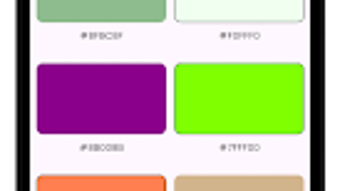
- Pre-Curated Palette Library: A collection of professionally designed color schemes is available for immediate use, offering inspiration for projects across various creative domains.
- Favorite Color Management: The ability to bookmark and categorize preferred colors streamlines workflow for repeated use in multiple projects.
These features support practical applications such as matching paint samples, selecting complementary colors for branding, or capturing the exact shade of a sunset for digital artwork. The tool is particularly effective for users seeking to translate ambient color experiences into actionable design elements. The software is designed to be intuitive, minimizing the learning curve and allowing immediate engagement with its core functions.
User Interface, Workflow & Performance
ColorSnapper features a sleek, modern interface optimized for touch-based navigation on Android devices. The layout emphasizes simplicity, with primary functions accessible through clearly labeled icons and minimal on-screen clutter. Users can initiate color capture with a single tap, and the app processes the selected hue in real time, displaying the corresponding color codes immediately.
Workflow efficiency is enhanced by the app’s streamlined design—capturing a color, saving it to a palette, and retrieving it later requires only a few taps. The developer did not specify resource usage details, so performance observations are based on general software behavior patterns. However, given the app’s size of 48.2 MB and focus on image processing, it is expected to operate smoothly on mid-to-high-end Android devices. Stability appears consistent with standard mobile application standards, though exact metrics were not provided. The app does not require internet connectivity for core functions, supporting offline use for color capture and palette management.
Compatibility & System Requirements
ColorSnapper is designed for Android operating systems and is currently available in version 1.5.0. The application has a download size of 48.2 MB, indicating a lightweight footprint suitable for most modern Android devices. The developer did not specify minimum hardware requirements or supported Android versions beyond the platform name.
Compatibility information is limited to the operating system, with no details provided on CPU, RAM, or storage recommendations. Users should ensure their device runs a compatible version of Android to install and use the app. The app does not require administrative privileges or additional software dependencies, simplifying the installation process. While the developer did not list exact system requirements, the lightweight nature of the software suggests broad compatibility across a range of Android smartphones and tablets.
Pros and Cons
Pros
- Free to download and use with no in-app purchases or ads mentioned.
- Intuitive interface suitable for users of all experience levels.
- Real-time color capture from camera enables immediate inspiration-to-design conversion.
- Supports multiple color formats (HEX, RGB, HSL) for cross-platform compatibility.
- Offers both custom and pre-curated color palettes for diverse creative needs.
Cons
- Exact system requirements were not listed, limiting user assessment of device compatibility.
- Performance behavior under heavy usage or on older devices is unknown.
- Only available on Android, limiting accessibility for iOS or desktop users.
- No information provided on update frequency or long-term maintenance.
- Offline functionality is confirmed, but cloud sync or backup features are not mentioned.
FAQ Section
Is ColorSnapper available for iOS devices?
Currently, the application is only available on Android operating systems. There is no official iOS version announced.
Does the app require an internet connection to function?
No, the core features such as color capture, code extraction, and palette management can be used offline. Internet access is only required if additional online features are introduced in future updates.
Can I use ColorSnapper without creating an account?
Yes, the app does not require registration or account creation. All data is stored locally on the device, ensuring privacy and ease of access.
How often is the app updated?
The release date of the current version is October 15, 2023. No information was provided on update frequency or maintenance schedule.
Is the software secure and safe to download?
As a free Android app developed by ColorSnapper Inc., it is distributed through official app channels. Users should download from trusted sources to ensure safety. The app does not request sensitive permissions beyond camera access.
Final Thoughts + CTA
ColorSnapper: Color Your World delivers a focused, accessible solution for anyone interested in color exploration and application. Its ability to capture real-world colors via camera and deliver precise codes makes it a valuable tool for creative professionals and hobbyists alike. The app’s clean interface, offline functionality, and free availability enhance its appeal across diverse user groups. While limited information on system requirements and update frequency is a drawback, the core experience remains robust and intuitive.
For users seeking a reliable, no-cost color exploration tool on Android, ColorSnapper stands out as a practical and inspiring choice. Whether you're redecorating a room, designing a logo, or simply capturing the beauty of a sunset, this app turns visual moments into actionable color data.
Download ColorSnapper now





.png)

